Route business messages in n8n without paying a chatbot to write
A practical way to route tickets, score feedback, and keep uncertain decisions in a human review queue with the Jev Classification community node.
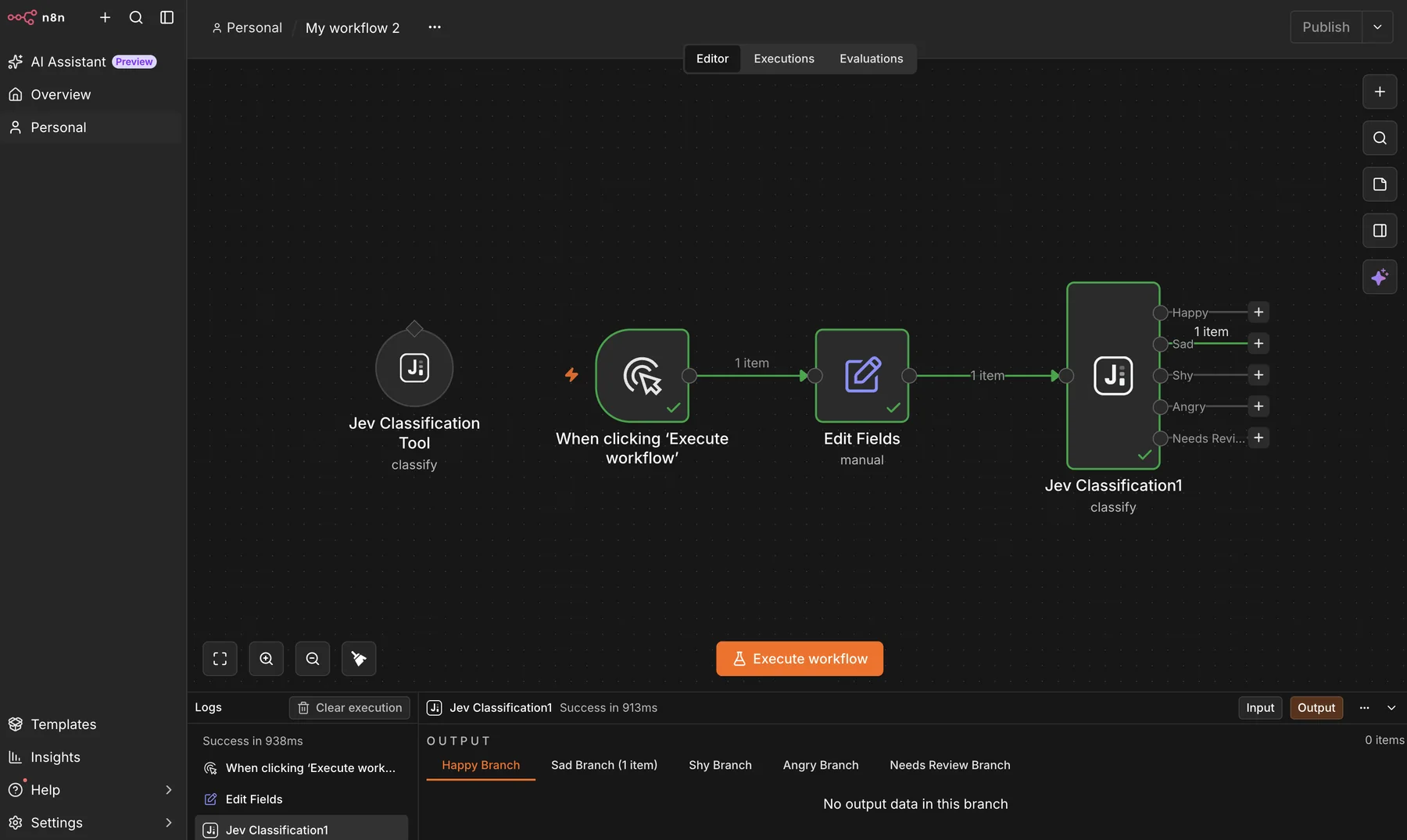
A customer writes, “I was charged twice.” Another reports that the app crashes after login. A third asks whether the annual plan has a discount.
The workflow does not need to write three answers yet. It first needs to decide where each message belongs.
That is the job handled by n8n-nodes-jev-classification, a new open source community node for Jev, TypeSafe AI’s decision model. It gives n8n one output per category and a separate route for cases where the model is not confident enough.
Why use a decision model here?
A common n8n classification workflow uses a chat model, asks it to return JSON, parses that JSON, and then branches on the result. That approach is flexible, but flexibility is not always useful.
For ticket routing, lead qualification, feedback tagging, and policy checks, the possible answers are already known. You want one of your categories, not a creative response.
Jev accepts text or structured JSON and answers typed questions. For a category decision, it returns:
- the selected category
- a probability for every category
- a confidence value
- the model version that made the decision
The n8n node turns that response into normal workflow branches.
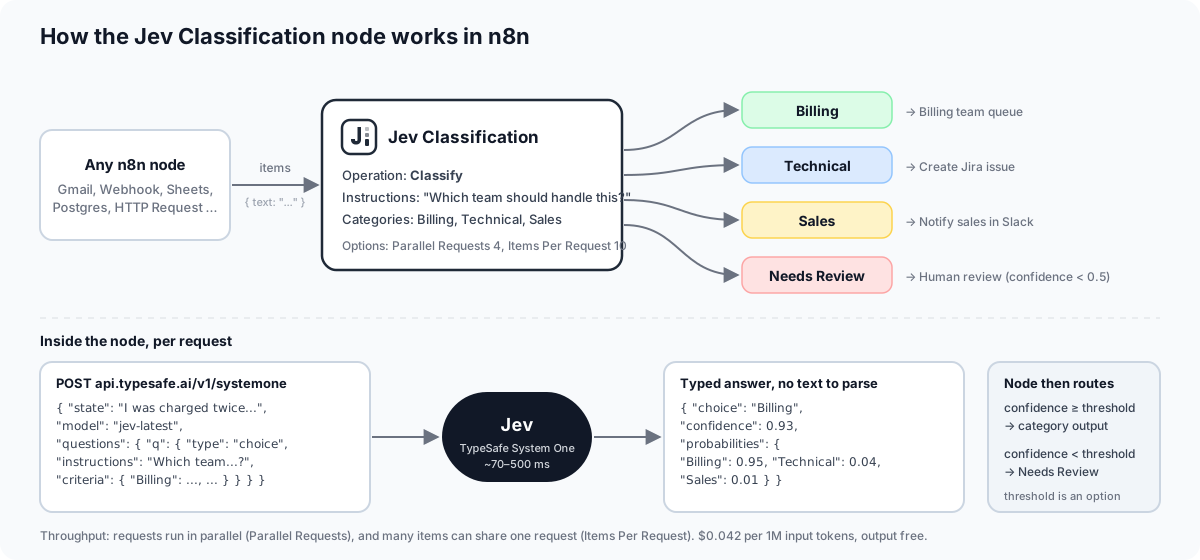
The node calls TypeSafe’s System One API, receives a typed answer, and handles the route inside n8n.
Four operations cover most routing jobs
| Operation | Business use |
|---|---|
| Classify | Route tickets, inbox messages, products, or leads into named categories |
| Score | Rate sentiment, urgency, quality, or another ordered scale |
| Check | Ask a yes or no question such as “Does this request mention a refund?” |
| Ask Questions | Evaluate several independent decisions in one API call |
A support workflow could classify the department, score frustration, and check for a refund request. Ordinary n8n logic can then decide which action is safe.
That separation matters. The model handles fuzzy language. The workflow still owns the side effects.
The setup stays visible
The regular Jev Classification node lets you choose the input text, write the instruction, and define category descriptions in the editor.
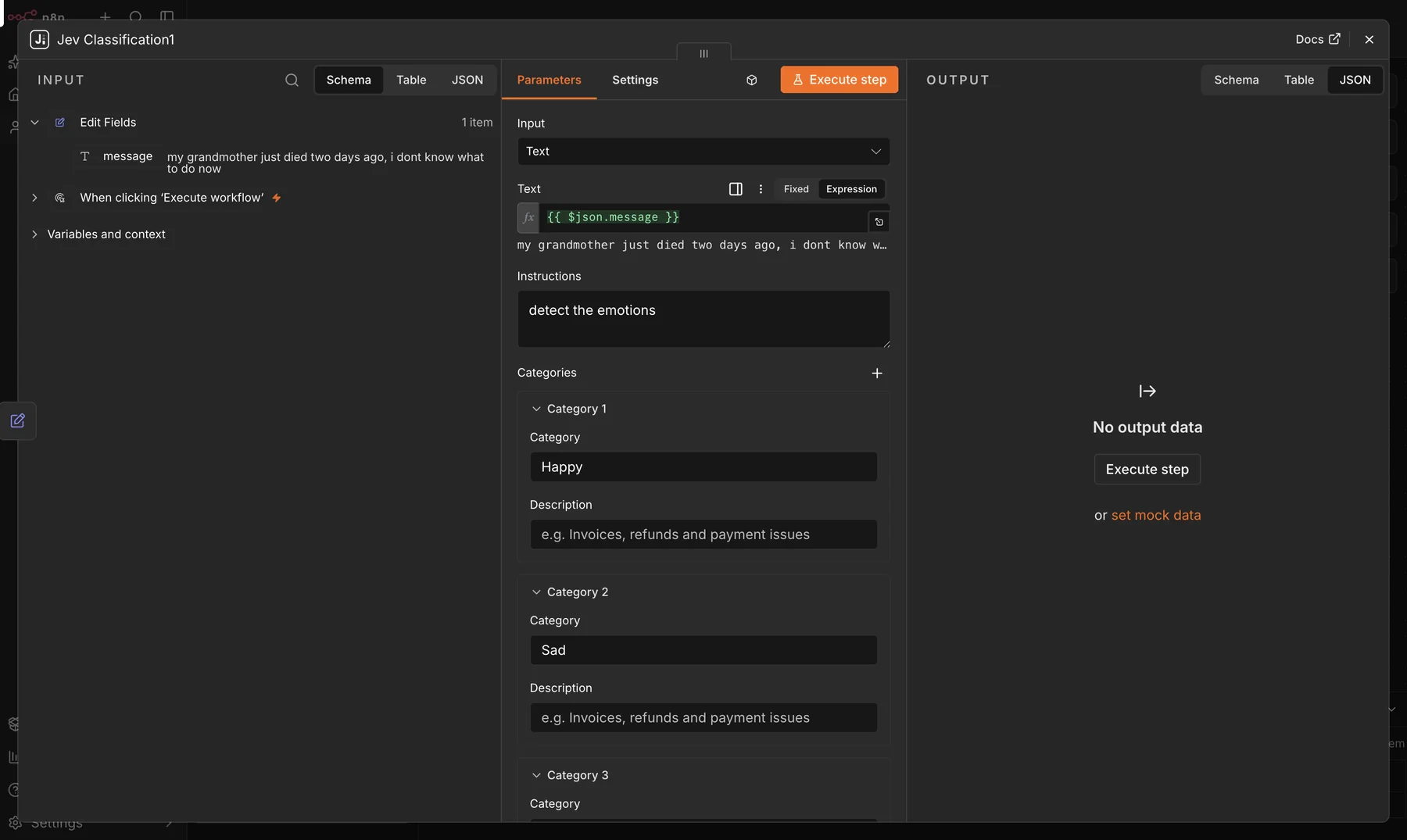
Clear category descriptions tell the model where one business queue ends and another begins.
After execution, the original item remains available and the node adds a jev result. The full probability map can be stored in a database or execution log instead of throwing away everything except the winning label.
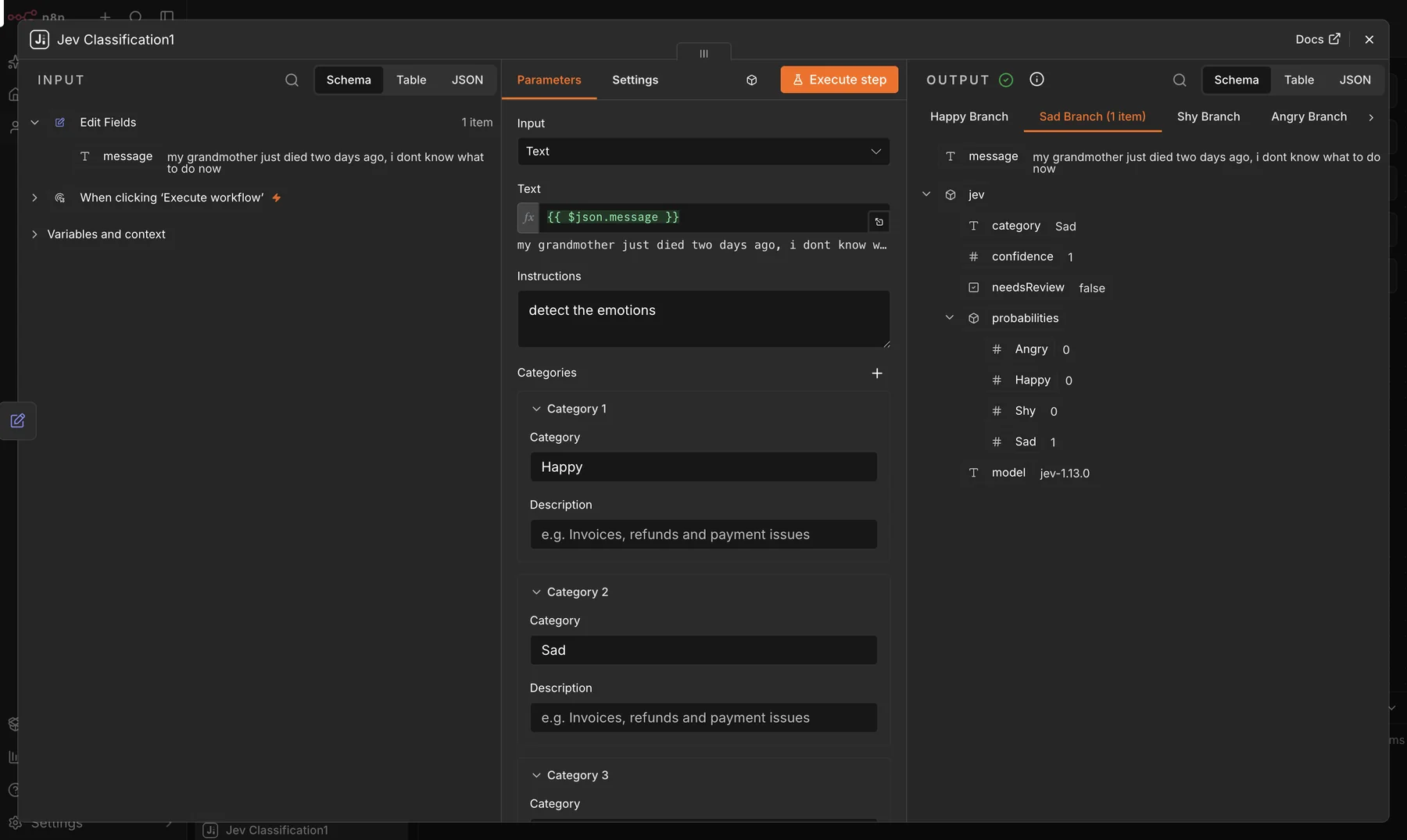
The output keeps the selected category, confidence, probability distribution, review flag, and model version.
Keep uncertain cases away from automatic actions
The most useful output is often Needs Review.
A classification model should not silently guess when two categories are close. The node can compare Jev’s confidence with a threshold and send low-confidence items to a separate output. A person can review the item, correct the route, and add the case to future tests.
The threshold should depend on the action:
- A low-risk tag can use a moderate threshold.
- A message sent to the wrong internal queue is recoverable, but still worth monitoring.
- A refund, account change, or other hard-to-reverse action needs a higher threshold and usually a confirmation step.
TypeSafe recommends the same risk-based approach. Start conservatively and tune the threshold against real examples from your own workflow.[1]
Use the regular node or attach it to an AI Agent
Once installed, n8n shows a regular routing node and a Tool variant.
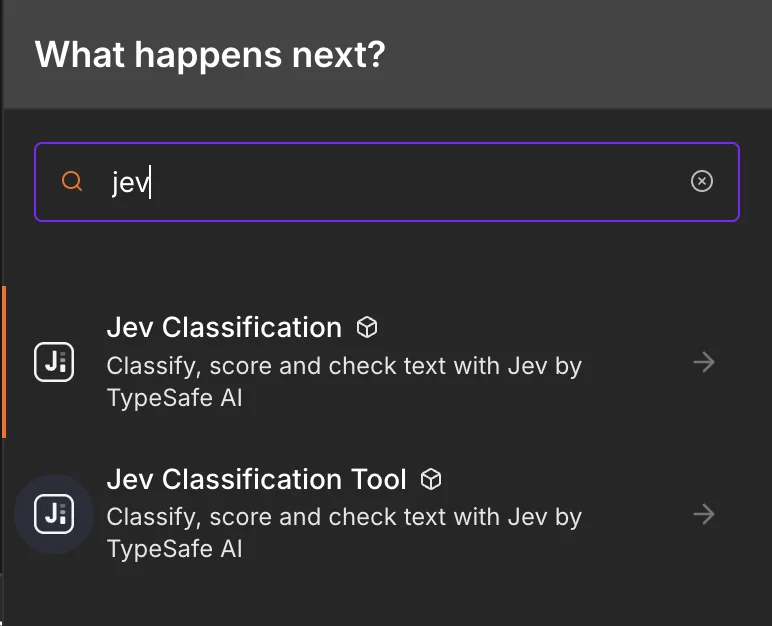
Use the regular node when the workflow owns the sequence. Use the Tool variant when an AI Agent needs a bounded classification step.
The agent setup can keep responsibilities separate. The chat model writes the helpful reply, while Jev answers a narrow question about the message.
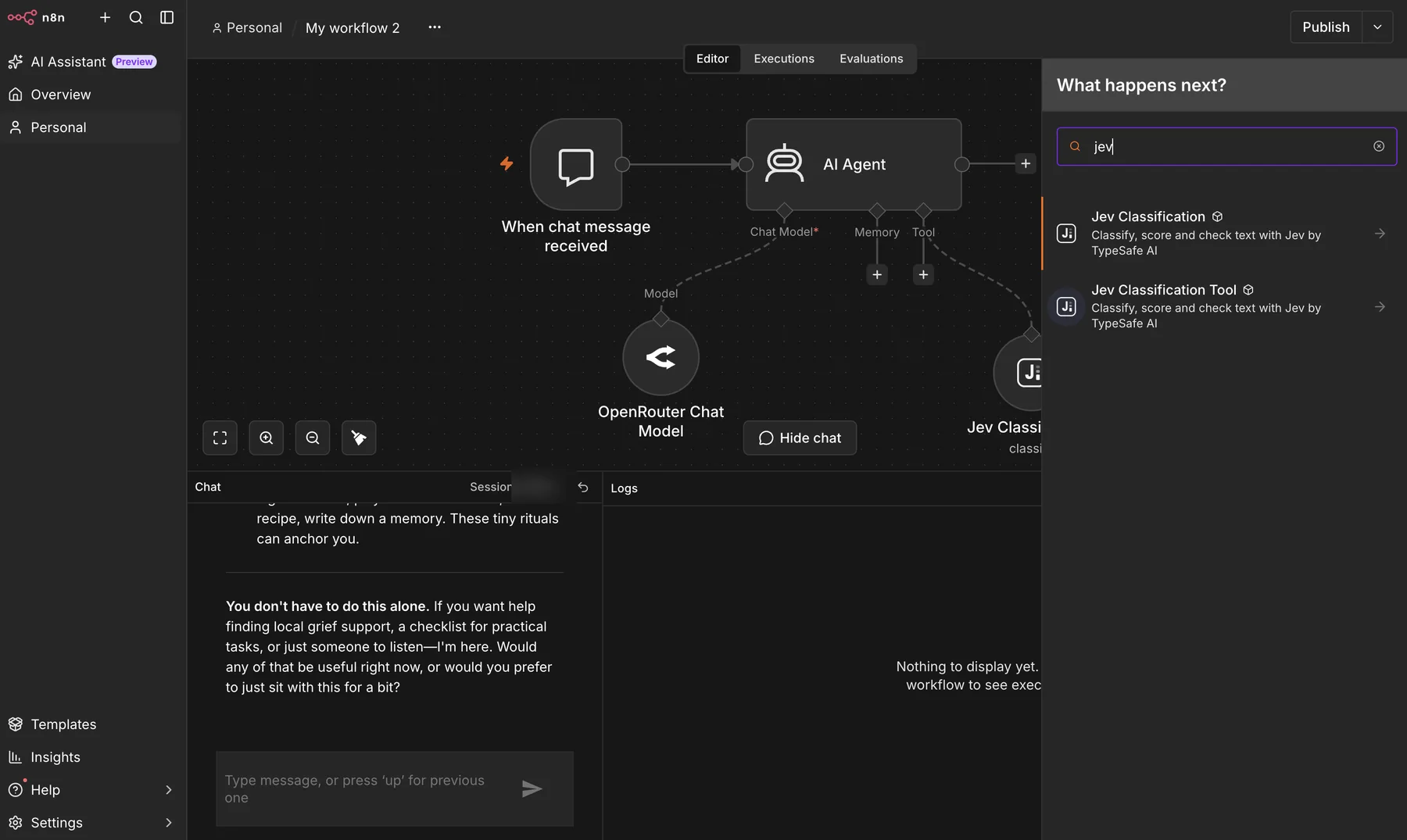
The agent can call Jev Classification as a tool instead of doing every judgment in the chat prompt.
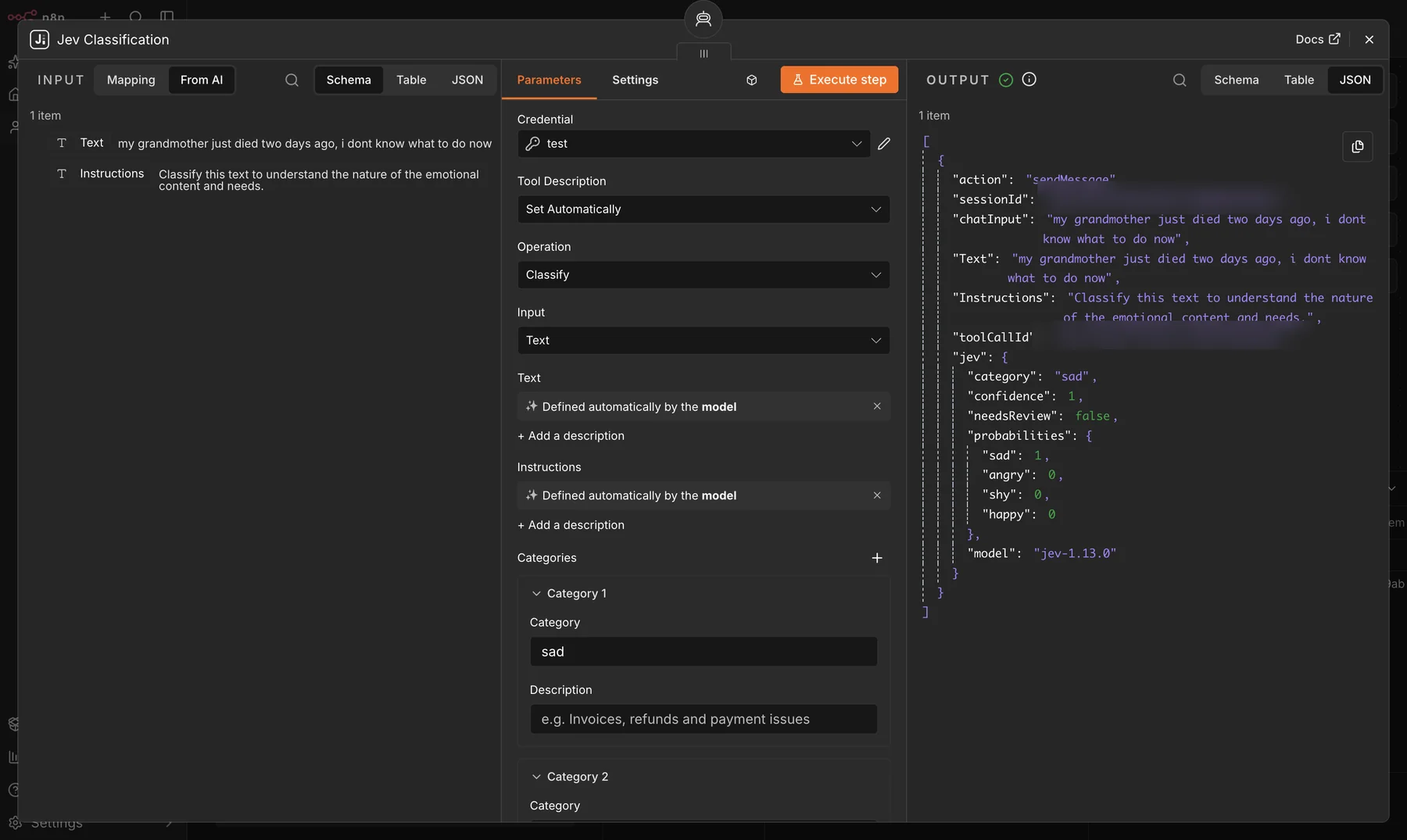
The tool returns structured data to the agent. Execution identifiers in the source screenshot were redacted before publication.
Install it on self-hosted n8n
Open Settings, go to Community Nodes, and install:
n8n-nodes-jev-classification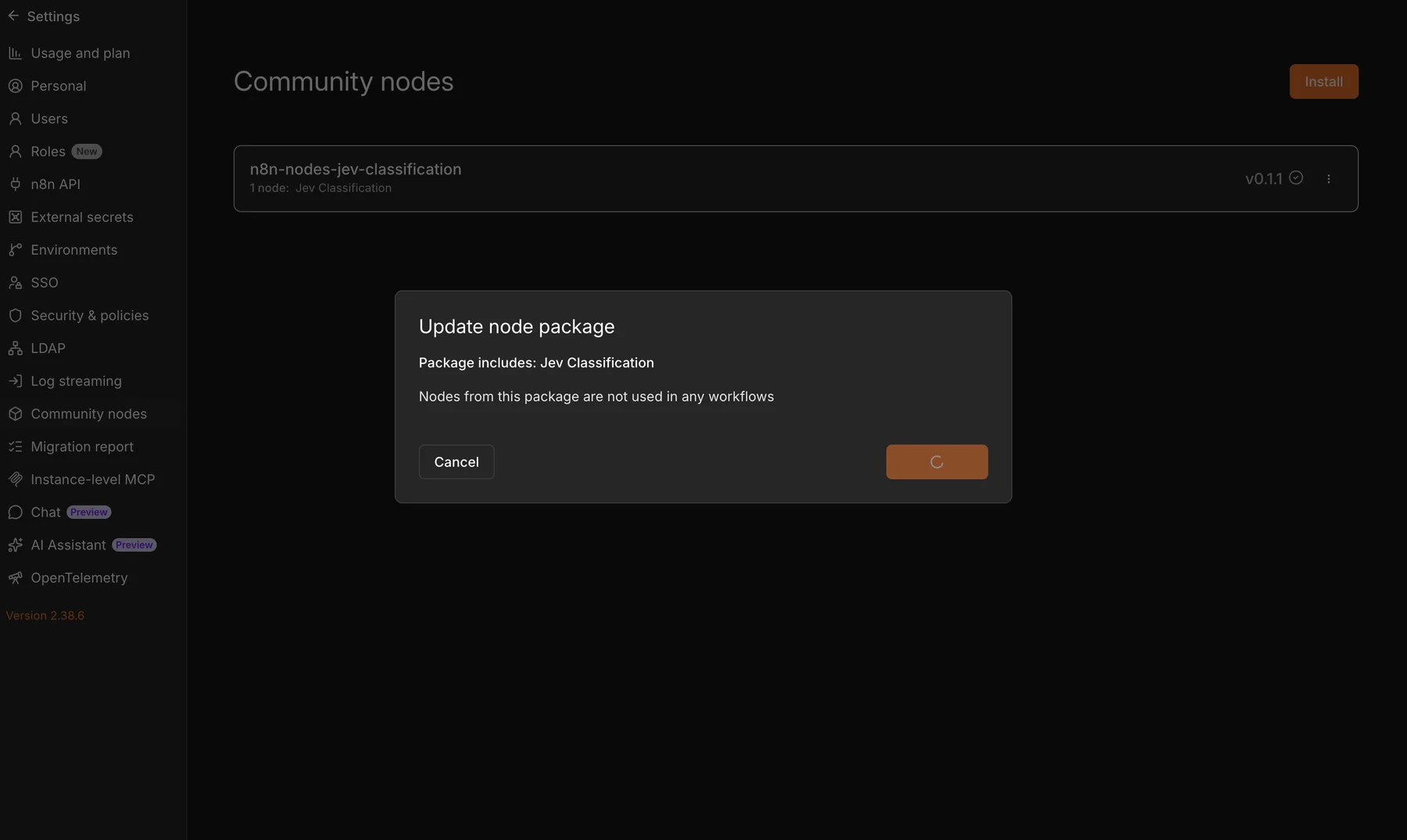
Version 0.1.1 installed on a self-hosted n8n instance.
You will also need a TypeSafe API key. Create a Jev (TypeSafe) API credential in n8n and test the connection before building the workflow.
At publication time, the package is available for self-hosted n8n. n8n Cloud only lists community nodes after they pass n8n’s verification process. The AI Agent tool variant also requires community tool usage to be enabled on the instance.
Read the cost and throughput numbers carefully
TypeSafe currently lists Jev 1.13 at $0.042 per million input tokens, with output tokens free and typical request latency from 70 to 500 milliseconds.[2] These are provider figures and may change.
The node can run requests in parallel and pack several short items into one request. Packing reduces network round trips and request overhead. It does not make the text disappear from the token bill, so batching is not free processing.
TypeSafe separately tested 13 questions against the same long document. Sending the questions together was 12.2 times cheaper and 10 times faster than 13 separate requests because the document only had to be sent once.[3] That result applies when several questions share the same state. It is not a promise that every multi-item workflow gets the same savings.
For production, start with small batches, measure latency, and watch the review rate. A high review rate usually means the categories overlap, the instructions are vague, or the input includes too much unrelated data.
Good first use cases
This node fits work where the answer space is bounded and the route is useful:
- customer support triage
- inbox and form classification
- lead-fit categories
- review sentiment scoring
- refund or cancellation detection
- content moderation flags
- filtering RAG passages before a more expensive step
It is not the right tool for writing replies, summaries, or reports. Jev also should not handle arithmetic, exact date comparisons, or deterministic business rules that normal code can calculate. TypeSafe documents these limits directly.[4]
A safer workflow pattern
- Clean the incoming item and keep only relevant fields.
- Ask one narrow decision at a time.
- Define category boundaries and include an
otheroption when needed. - Route low-confidence cases to a person.
- Keep high-impact actions behind a stricter threshold or confirmation step.
- Store probabilities and model versions so you can audit changes later.
The model should handle the uncertain language. n8n should still control the workflow.
The package, documentation, and three importable example workflows are available on GitHub. You can also inspect the published package on npm.
If your team wants to apply this pattern to a support inbox, lead flow, or internal operation, book a fit check. Bring the current route, the categories, and what happens when the decision is wrong. We will map the smallest system worth building before adding more AI.
This is a community node maintained by Khairul Muhtadin. It is not affiliated with, endorsed by, or supported by TypeSafe AI or n8n.
Sources
[1] Confidence, TypeSafe AI documentation
[2] Models, TypeSafe AI documentation